The Best Free Marketing Tools for Cafes in Australia (2026)
The free marketing tools worth a cafe owner's time in 2026: Google Business Profile, a review link, Meta Business Suite, Canva, Mailchimp and a free loyalty card. What each free plan actually includes, where the limits bite, and the four-tool starter stack. From the team behind Back Again.
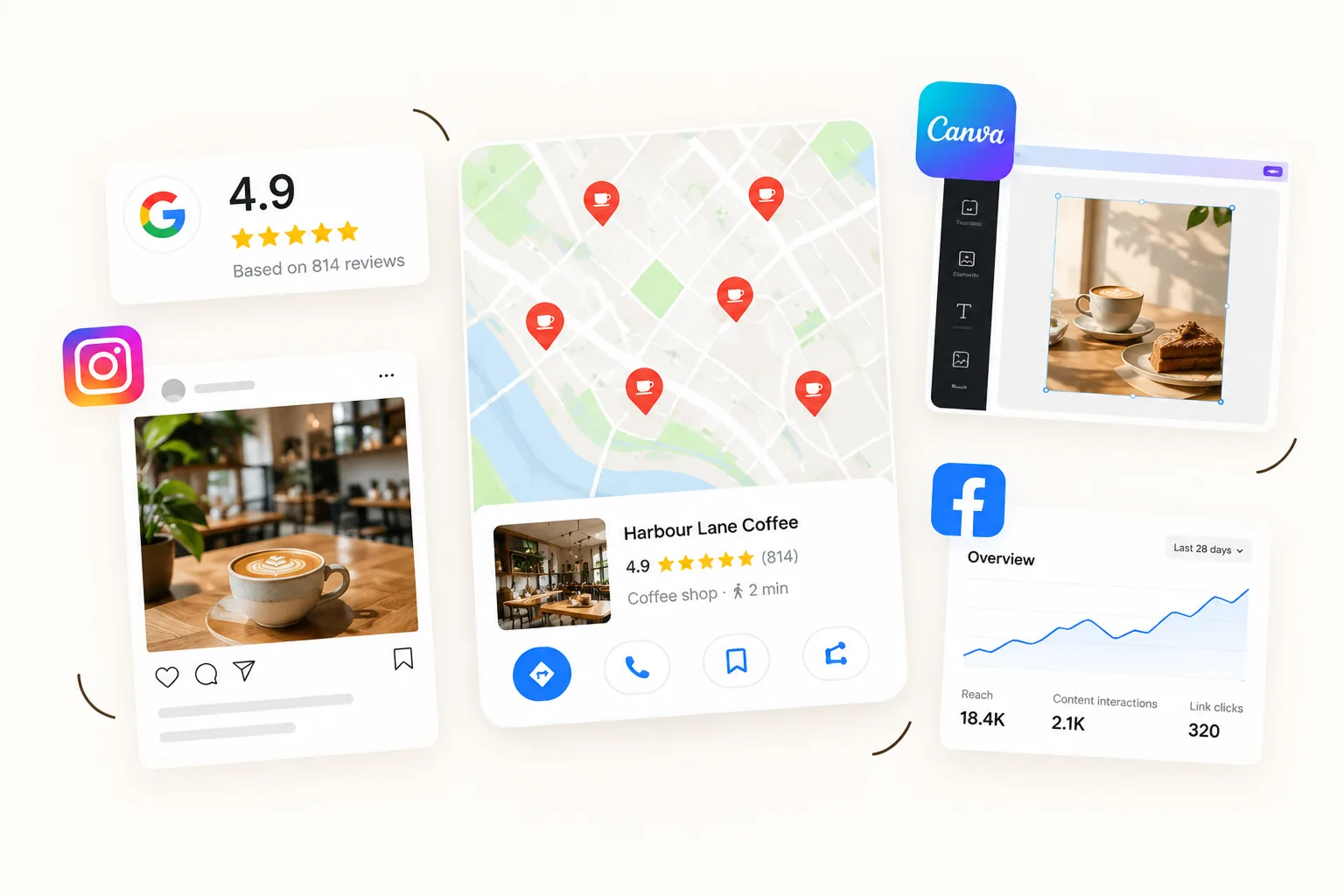
Search for free marketing tools and you get lists of forty, most of them built for online shops or agencies. A cafe needs far fewer, and the right ones are different: you sell to people within a few kilometres, most of them come back weekly, and you have about fifteen spare minutes a day.
We are the team behind Back Again, a loyalty and marketing platform for independent cafes, and one of the tools below is ours. We have been specific about what each free plan actually includes, checked against each vendor's own pricing page in October 2026, because free plans change and the limits are where most of them catch you out.
The quick list
| Tool | What it does for a cafe | What the free plan includes | Verdict |
|---|---|---|---|
| Google Business Profile | Puts you on Google Maps and in "cafe near me" results | Everything. There is no paid tier | Essential |
| Google review link and QR code | Sends customers straight to the review box | Free, from your Business Profile | Essential |
| Apple Maps listing | Controls how you appear to iPhone users in Apple Maps | Free to claim | Worth 20 minutes |
| Meta Business Suite | Schedules Instagram and Facebook posts | Free | Essential if you post |
| Canva Free | Designs posts, menus and signs | 1.6M+ templates, 5GB storage, one brand kit with 3 colours | Good, with limits |
| Buffer Free | Schedules posts across platforms | 3 channels, 10 scheduled posts per channel | Only if you need TikTok or others |
| Mailchimp Free | Sends email newsletters | 250 contacts, 500 emails a month, no automations | Too small for most cafes |
| Brevo Free | Sends email newsletters | Up to 300 emails a day | Roomier than Mailchimp for occasional sends |
| A loyalty card with email capture | Builds your customer list and brings people back | Varies. Back Again is free until 50 customers | The one most cafes are missing |
The rest of this post goes through them in the order we would set them up.
1. Google Business Profile: the one to do first
Google Business Profile is the most valuable free marketing tool a cafe has. It is the listing that appears on Google Maps and in the map results when someone searches "cafe near me" or "coffee" plus your suburb. For a lot of cafes it sends more people through the door than Instagram does.
Google is plain about how it ranks these listings. It weighs relevance, distance and prominence, and says "there's no way to request or pay for a better local ranking." What you control is a complete, verified profile, accurate hours, photos, and your reviews and replies.
It also matters more than it used to for AI search. Google retired the old public Q&A section on Business Profiles in November 2025, and questions about your cafe are now increasingly answered by Google's AI, drawing on your profile, your reviews and your website. A thin profile gives it less to work with.
There is enough to get right that we wrote a separate guide: Google Business Profile for cafes, covering categories, photos, menus, posts and a fifteen-minute weekly routine.
2. A Google review link and QR code
Reviews are the biggest lever on your Google ranking that you can actually pull, and the tool that collects them is free. In your Business Profile, use "Ask for reviews" to get a short link and a QR code that drop a customer straight into the review box.
Put the QR code on a small counter sign, on receipts if your POS allows it, and in your email footer. Then the part that makes the difference: ask at the right moment, which is just after a customer has had a good experience, not mid-rush.
One rule that catches cafes out: Google says offering "free or discounted goods or services" in exchange for reviews is strictly prohibited. No free coffee for a review, however tempting.
Our full playbook, with scripts and replies, is in how to get more Google reviews for your cafe.
3. Your Apple Maps listing
A large share of your customers use iPhones, and plenty of them open Apple Maps, not Google, to find somewhere for coffee. Apple lets businesses claim their location for free through Apple Business and control the logo, hours, photos and key details on their listing, with action links such as bookings.
It is twenty minutes, once, and then a check whenever your hours change. Most independent cafes have never claimed theirs, which means the hours shown may be wrong.
4. Meta Business Suite, for scheduling Instagram and Facebook
Meta Business Suite is the best free way to schedule Instagram and Facebook posts. It is Meta's own tool, it is free, and it lets you plan a week of posts in one sitting.
That matters because the reason most cafe Instagram accounts go quiet is not a lack of ideas. It is the daily effort of posting on top of running a cafe. Batch once a week instead: shoot photos in a quiet half hour, write the captions together, schedule the lot. We set out what to post, and why follower count is the wrong number to watch, in Instagram for cafes.
If you also post to TikTok or other platforms, Buffer's free plan covers 3 channels with 10 scheduled posts per channel at a time. For most cafes posting only to Instagram and Facebook, Meta's own tool is enough.
5. Canva Free, for designing posts and signs
Canva Free is enough for most cafe design jobs: Instagram posts, a specials board, a counter sign, a menu. The free plan includes more than 1.6 million templates, 5GB of storage, one brand kit limited to three colours, and a small allowance of AI uses.
Where the free plan stops: background removal and scheduling posts from Canva are Pro features. If you want either, use Meta Business Suite for scheduling instead, and take product photos against a plain background so you do not need the remover.
The real cost of Canva is not money, it is the half hour spent picking a template and nudging text around. If that is what stops you posting, Back Again's Content Studio turns one photo of your food into a set of branded posts in your cafe's colours and fonts, ready to download. It is included in the platform rather than free on its own, so we mention it as an option, not a replacement for a tool you already like.
6. Mailchimp Free: honest about the limits
Mailchimp is the name most owners know, so it is worth being clear about what its free plan now is. Per its pricing page, the Free plan allows 250 contacts and 500 emails a month, with a maximum of 250 a day, and automation flows are not included.
That rules out the two emails that actually bring cafe customers back. A win-back email to a regular who has gone quiet, and a birthday offer, both need automation, because nobody has time to send them by hand. We explain why those two beat any newsletter in email marketing for cafes.
Brevo is the other free option worth knowing. Its free plan lets you send up to 300 emails a day, which is far more headroom than Mailchimp's. Its pricing page lists unlimited automated workflows on the paid Standard plan, so check the free plan covers the automation you need before relying on it.
If you only want to send the occasional announcement to a small list, either free plan does the job. If you want email to bring people back, the free plan is the wrong tool.
7. A loyalty card that builds your customer list
This is the tool most cafes are missing, and it is the one the others depend on. Google, Instagram and Facebook all help strangers find you. None of them gives you a way to reach a regular who has quietly stopped coming in. For that you need their email address, and the clipboard by the till does not work.
The approach that does work is tying the email address to something the customer already wants. With a digital loyalty card, the address is how they keep their stamps, so the list builds itself without anyone at the counter asking.
Three free or nearly free routes, honestly compared:
- Paper punch cards. Close to free and they genuinely work for rewarding repeat visits. But you never learn who your regulars are and cannot contact any of them. We weighed it up in paper punch cards vs a digital loyalty app.
- Loyverse. A free POS with a loyalty program built in. Genuinely free, but only if you switch your till to Loyverse.
- Back Again. Free until you have 50 customers, then $39 a month AUD. Customers tap a sign on your counter and their card opens in the browser, with no app to download. Their email comes with the signup, and the win-back email, birthday email, Google review prompt and timed offers are all included, so it covers the jobs Mailchimp Free cannot.
To be straight about it: Back Again is not free forever. The free tier is there so you can watch real customers join before paying anything. If you want the full comparison of paid options, see our best loyalty system for cafes roundup, and for the true cost of running a program, what a cafe loyalty program actually costs.
8. Tools you already have for measuring what works
You do not need analytics software. Three free sources cover it:
- Your Business Profile's performance view shows how people found you, and how many called, asked for directions or clicked through to your website.
- Instagram's insights show which posts were saved and shared, which matters more than likes.
- Your POS shows sales by hour, which tells you exactly which quiet windows a promotion should target. More on that in how to fill the dead hours at your cafe.
How to promote your cafe for free: the four-tool starter stack
If you set up nothing else, set up these, in this order:
- Google Business Profile, complete and verified, with real photos and correct hours.
- A review QR code at the counter, and a habit or system for asking at the right moment.
- Meta Business Suite, with one batching session a week.
- A way to collect customer emails that does not rely on a clipboard, so you can reach regulars who drift.
That is an afternoon of setup and about fifteen minutes a day after it. Everything else on the list is optional.
What free tools will not do for you
They cost time instead of money. Free tools are free because you do the work. A scheduler does not take the photos, and a review link does not ask anyone.
They do not talk to each other. Your reviews, posts, emails and customers end up in four places. That is fine at first and tiring by month three.
They mostly reach new people. Google, Instagram and Facebook are acquisition channels. For an independent cafe, a returning regular is worth far more than a one-off visitor, which is why we put retention first in the best marketing for cafes.
Frequently asked questions
How do I attract more customers to my cafe?
Make sure people nearby can find you, then give the ones who come in a reason to return. A complete Google Business Profile with good reviews brings new customers, and a loyalty card with automated emails brings them back. For most cafes, getting existing customers to visit more often is cheaper than finding new ones. We list 15 practical ideas in how to attract more customers to your cafe.
How can I promote my cafe for free?
Start with a complete Google Business Profile, ask for Google reviews with a QR code at the counter, post on Instagram regularly using Meta Business Suite to schedule, and partner with neighbouring businesses. All of it costs time rather than money.
What is the best way to market a coffee shop?
Focus on retention first: a loyalty program, automated win-back and birthday emails, and a steady flow of Google reviews. Social media and local partnerships support that. We rank eight methods by return in our guide to the best marketing for cafes.
What are the best free marketing tools for a cafe?
Google Business Profile, a Google review link and QR code, Meta Business Suite for scheduling posts, and Canva Free for design. Add a way to collect customer emails, such as a digital loyalty card, so you can reach regulars who stop coming in.
Is Google Business Profile free?
Yes. Google Business Profile is completely free and there is no paid version. Google says there is no way to pay for a better local ranking.
What is the best free tool to schedule Instagram posts for a cafe?
Meta Business Suite. It is Meta's own free tool and schedules posts to both Instagram and Facebook. Buffer's free plan is an alternative if you also post to other platforms, with 3 channels and 10 scheduled posts per channel.
What is the best free email marketing tool for a cafe?
Mailchimp Free allows 250 contacts and 500 emails a month with no automations. Brevo's free plan allows up to 300 emails a day. Neither is built to send automated win-back and birthday emails for free, which are the emails that bring cafe customers back.
Is Mailchimp still free?
Mailchimp has a Free plan, but it is limited to 250 contacts and 500 emails a month, with a maximum of 250 a day, and does not include automation flows. That means no automated win-back or birthday emails.
Is Canva free for cafes?
Yes. Canva Free includes more than 1.6 million templates and 5GB of storage, which covers most cafe posts, menus and signs. Background removal and social scheduling are Pro features.
Is there a free loyalty program for cafes?
Paper punch cards cost almost nothing. Loyverse includes a free loyalty program if you use its free POS. Back Again is free until you have 50 loyalty customers, then $39 a month AUD.
How much should a small cafe spend on marketing?
Most independent cafes can start with free tools and spend only time. When you do spend, put it towards keeping existing customers, such as a loyalty program with automated emails, rather than ads, because returning regulars are worth far more than one-off visitors.
Do I need a website for my cafe?
A simple one helps, because Google's AI and other answer engines draw on your website as well as your Business Profile. One page with your hours, menu, location and contact details is enough.
Where to start
Do Google Business Profile today, because it is free, it takes an hour, and it is the listing most people see before they ever see your Instagram. Then add a review QR code to your counter, and book one weekly half hour for photos and scheduling.
When you are ready for the part free tools cannot do, which is knowing who your regulars are and bringing them back when they drift, Back Again is a tap-to-stamp loyalty card with win-back and birthday emails, Google review prompts, timed offers and Content Studio included. It is free until your first 50 customers, then $39 a month AUD with no lock-in. See how it works or the pricing.
Free plan details are from each vendor's own pricing page, checked 14 October 2026. Free plans change often, so check before you rely on a limit.