Cafe Loyalty Without an App: How Tap-to-Stamp Actually Works
Most loyalty programs ask your customers to download something, and most of them will not. Here is how tap-to-stamp works instead, what NFC actually is, which phones handle it, and where the approach still has limits. From the team behind Back Again.
Every cafe owner who has looked at loyalty software has hit the same question, usually about four minutes into the sales page: do my customers need to download an app?
It is the right question to ask, because the answer determines whether anyone actually uses the thing you are paying for.
We are the team behind Back Again, so we have an obvious stake in this. What follows is how the tap approach works mechanically, and the parts where it is still imperfect, because there are a few.
The download is where loyalty programs die
Picture the moment you are asking your customer to do this in. They have ordered, they have paid, there are three people behind them, and their coffee is thirty seconds away. Your barista says "we have a loyalty app, you should download it."
Now count what that actually involves. Open the App Store. Search a name they half heard. Pick the right result from four similar ones. Wait for the download on cafe wifi, which is usually the worst wifi they will touch all day, or on mobile data they might be careful with. Open it. Create an account. Verify an email. Allow notifications. Find the scan screen.
That is ninety seconds on a good day, in a queue, for a free coffee they will get in six weeks.
Almost nobody does it. They say "yeah I'll grab it later," and later never happens. The program is not failing because your customers do not want loyalty rewards. It is failing because you put an app store between them and the first stamp.
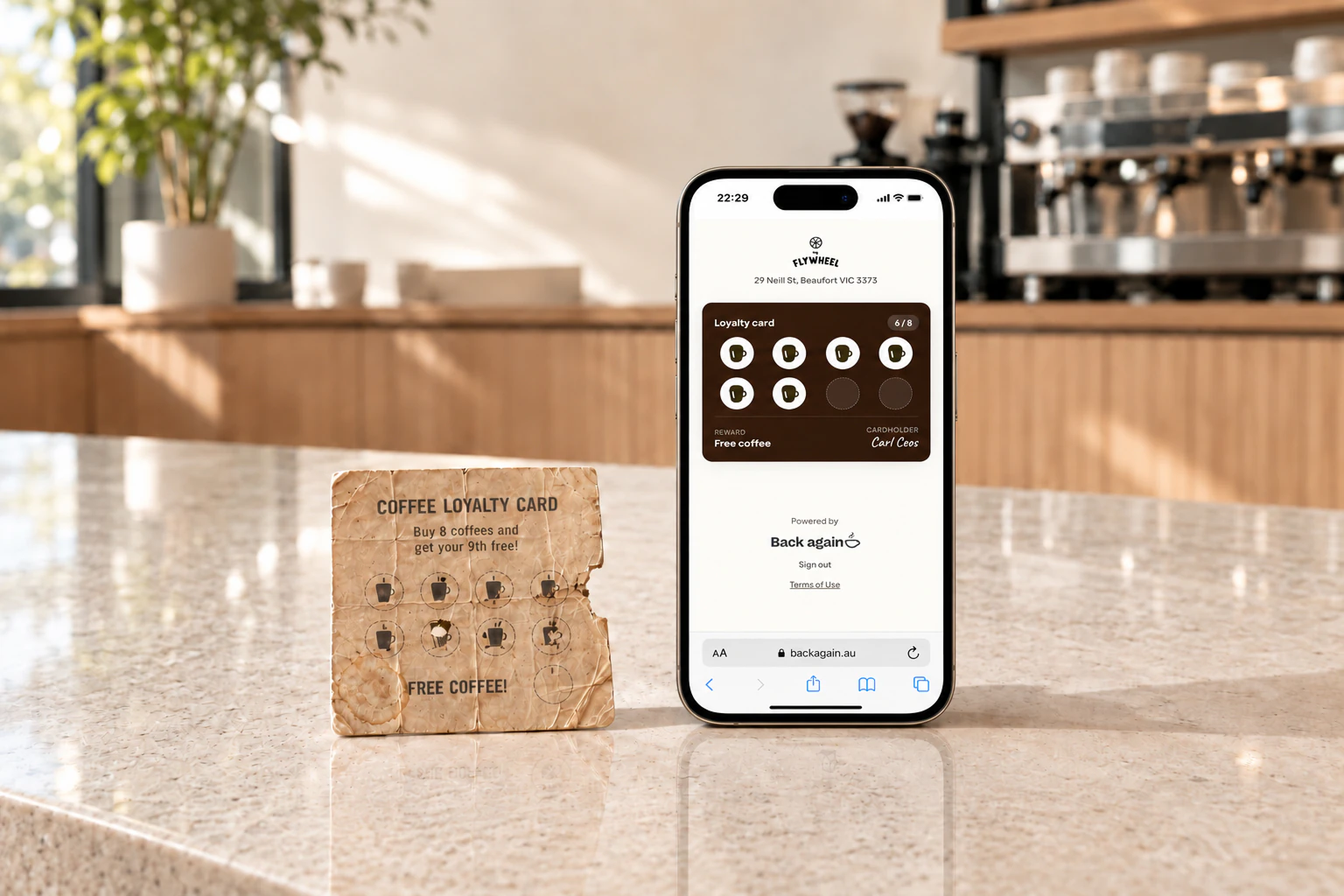
This is the same reason paper punch cards outlive most digital programs despite being objectively worse at everything else. A bit of cardboard has no install step.
What happens instead
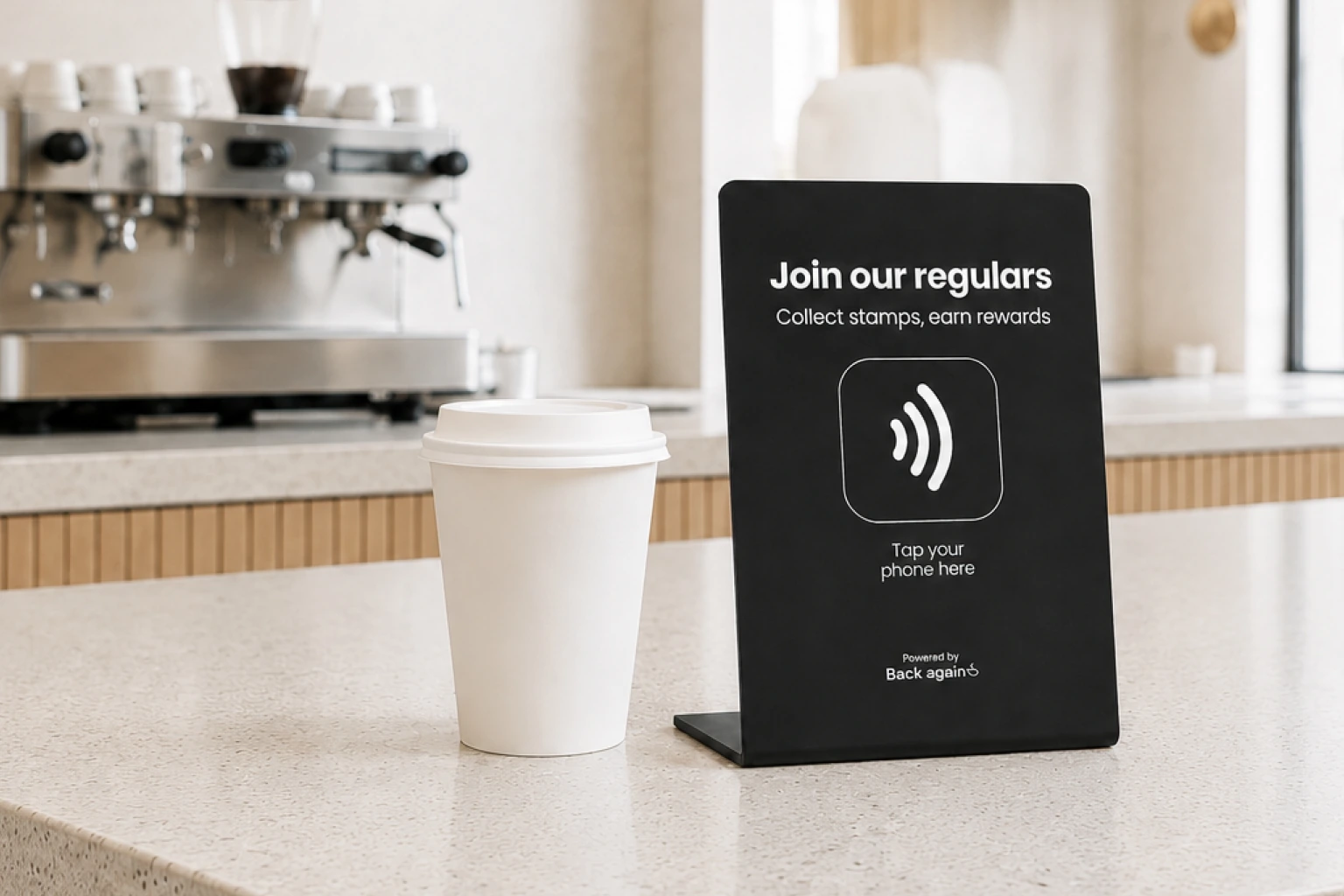
There is a small sign on your counter with a chip inside it. The customer holds their phone near it for about a second.
A notification slides down. They tap it. A web page opens showing their loyalty card for your cafe, with the stamp already added. No install, nothing in their app drawer, no password.
On the first visit only, they enter their email address so the card is theirs and follows them to a new phone. After that, every future visit is just the tap. Phone near sign, stamp lands, done. It takes less time than the card payment they just made.
| Feature | Tap to a web card | A loyalty app |
|---|---|---|
| Download from an app store | ✗ | ✓ |
| Account and password to create | ✗ | ✓ |
| Works on the very first visit, in the queue | ✓ | ✗ |
| Takes up space on the phone | ✗ | ✓ |
| Customer must remember to open something at the till | ✗ | ✓ |
| Can send push notifications to the phone | ✗ | ✓ |
That last row is the one real advantage an installed app has. It can push a notification to the phone whenever it likes, and a web card cannot. We use email instead, which is slower and easier to ignore, and worth knowing about before you decide.
What NFC actually is
The chip in the sign is NFC, which stands for near field communication. It is the same technology as the tap-to-pay in the customer's bank card.
Two things are worth knowing about it, and then you can stop thinking about it forever.
It has no battery and it is not connected to anything. The chip is passive. It has no power source of its own and sits inert until a phone comes within a couple of centimetres, at which point the phone's own field powers it just long enough to be read. There is nothing to charge, nothing to pair, nothing to connect to your wifi, and nothing that can go offline. A sign that worked on the day it arrived will still work in three years.
All it stores is a web address. That is genuinely the entire contents. The chip does not hold customer data, it does not run software, and it cannot read anything off the phone. It hands over a link, the phone opens it, and everything after that happens on a normal web page.
That is also why it cannot really break. There is no app to update, no version to fall behind, no compatibility to maintain.
Will it work on your customers' phones
Mostly yes, with one distinction worth knowing.
iPhones from the XS onwards, which is 2018 and later, read tags straight from the lock screen with nothing installed and nothing switched on. The customer does not need to know what NFC is or that their phone has it. In practice this is the large majority of the iPhones that walk into your cafe.
Older iPhones, back to the 7, can still read tags, but the customer has to open the NFC reader from Control Centre first. It works, it is just not automatic. This is a shrinking group.
Android phones have had NFC for well over a decade and it is normally switched on by default. Some budget handsets do not include the hardware at all.
So the honest version is: most customers tap and it simply works, a small number need a nudge, and a few cannot use it at all. We would rather say that plainly than pretend the coverage is total.
What your staff have to learn
Nothing. That is not a slogan, it is the actual answer, and it is the part that decides whether a loyalty program is still running in six months.
Compare it to the alternative. Most loyalty programs built into a POS need the barista to ask every customer for a phone number or an email at the till, then type it in, then wait for the lookup. During a rush, that step gets skipped. Not out of laziness, but because there are four coffees on and a queue out the door. Once staff start skipping it, the data goes patchy, the reports stop meaning anything, and the program dies of neglect rather than any decision.
With a sign on the counter, your staff's entire involvement is occasionally pointing at it. The customer does the work, and they do it while waiting anyway.
What to expect, honestly
A few things are genuinely worth knowing before you commit.
You do collect one email address. The first tap asks for it, because a card that is not tied to anything vanishes when the customer changes phone. Most people give it. Some will not, and those people just do not join.
A few phones will not tap at all. Older handsets, and some budget Androids, do not have the hardware. Those customers cannot join, and there is no workaround we are going to dress up for you. It is a small group and it shrinks every year.
Not every customer will join, and that is fine. The ones who opt in are disproportionately your regulars, which is the group worth having in a database anyway.
The card lives in the browser. If a customer clears their browsing data, they sign back in with their email. Mildly annoying, rare, and not a data loss.
Signs go missing. They are small objects on a busy counter. Have a spare.
It does not fix a quiet Tuesday on its own. A loyalty card gives you a reason to contact people and a record of who has stopped coming. What you do with that is a separate job, and we have written about the two emails worth sending if you want the practical version.
Where that leaves you
If you are weighing up loyalty options, the download question is worth putting first, ahead of features and pricing. A program with brilliant reporting that nobody enrols in is worth less than a plain one everybody uses.
Back Again is the tap version of this. We post you the sign, your customers tap it, and it is free until you reach fifty customers. If you want the wider view first, we compared the main options available to Australian cafes, including the ones that are not us.