How to Get More Google Reviews for Your Cafe in 2026 (Without Awkwardly Asking)
The practical guide to getting more Google reviews for your cafe. When to ask, how to ask, what to say, how to respond, and how to double your Google review count in 60 days. Timing, templates, tools, and Google's policies explained. From the team behind Back Again.
If you run a cafe, your Google Business Profile is quietly doing more marketing than your Instagram, your website, and your paid ads combined. When someone Googles "cafe near me", "coffee shop [suburb]", or your café's name, Google decides which listing to show first based mostly on one thing: your Google reviews. Volume, star rating, recency, and response rate all feed into the algorithm.
Yet most independent cafés get Google reviews accidentally — a happy regular writes one unprompted, and that's the extent of the strategy. Meanwhile, the café up the road with a systematic approach quietly accumulates 200+ reviews and pushes past you in the Google Maps ranking. This post is a practical guide to closing that gap, without ever feeling awkward at the counter.
We're the team behind Back Again, a marketing and loyalty platform for independent cafés. Every day we watch cafés struggle with review generation, and we've learned that the problem is almost never "customers don't want to leave reviews" — it's that the ask is either badly timed or never made at all. If you fix those two things, everything else follows.
If you want the broader context of where reviews sit in a café's marketing mix, read our best marketing for cafes roundup first. This post is the deep dive on Google reviews specifically.
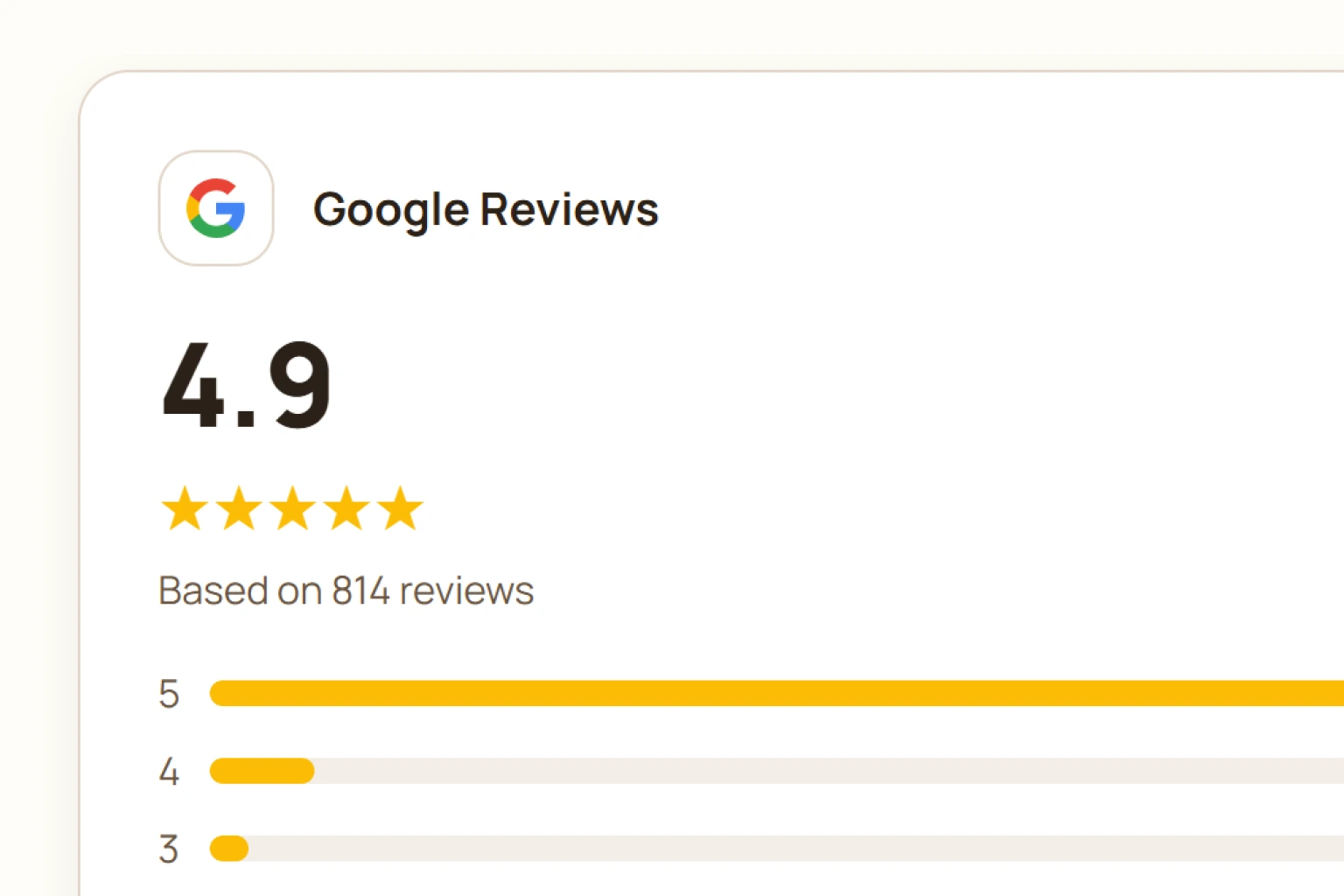
Why Google reviews matter more than most marketing you're doing
Before any tactics, spend two minutes on why this matters.
Google reviews drive local search rankings. When Google decides which café to rank first in Maps or the local "3-pack" (the three listings that appear above the fold on a "cafe near me" search), review count and rating are among the strongest signals. A café with 200 reviews at 4.7 stars typically outranks a café with 30 reviews at 4.9 stars, because Google interprets review volume as a trust signal in local search.
Google reviews drive walk-in decisions. Research consistently shows that around 80-90% of consumers read online reviews before choosing a local business, and around 50-60% won't visit a business with a rating below 4 stars. For a café, that's not a marketing statistic — it's the difference between someone walking through your door or your competitor's.
Google reviews compound. A review you got 3 years ago still helps your ranking today. Instagram posts, paid ads, and email campaigns all lose value the moment they run. Reviews are one of the only marketing assets that keep working forever, at zero ongoing cost.
The math no one shows you first.
Let's put numbers on it. Suppose your café ranks #4 in Google Maps for "cafe near me" in your area. Moving up to #2 typically doubles your click-through rate. For a café getting 800 Google Maps profile views per month, that's roughly 400 additional profile views monthly, or about 80-120 additional walk-in conversions per month at typical local search conversion rates. At $8 average spend, that's $640-960 per month in additional revenue from moving up two Google Maps positions. Multiplied across a year, moving from #4 to #2 in Google Maps is worth roughly $8,000-11,000 in annual revenue to a typical independent café.
Getting more Google reviews is often the single biggest lever for moving up.
How Google decides which café ranks first
Google's local ranking algorithm isn't fully public, but the signals Google itself has confirmed matter for local business rankings are:
- Review count. More reviews = more trust signal. There's no magic number, but going from under 50 to over 100 reviews typically produces a visible ranking bump.
- Star rating. Average star rating matters, but only within reason. A café with 200 reviews at 4.6 stars beats a café with 20 reviews at 4.9 stars almost every time.
- Review recency. Google favours cafés with consistent, recent reviews over cafés with a huge count that stopped 2 years ago. Steady flow > sudden spike.
- Response rate. How often you reply to Google reviews (both positive and negative) is a ranking signal Google has explicitly confirmed. Cafés that respond to 80-100% of their reviews rank meaningfully higher than ones that ignore them.
- Keyword mentions in reviews. When a customer writes "best flat white in [suburb]", Google reads that. Reviews mentioning specific menu items, moods, or occasions ("date night", "quiet workspace", "kid-friendly") help you rank for those exact searches.
- Photos on reviews. Reviews with attached photos rank higher and are more prominent in the Google Maps carousel.
The takeaway: review count, star rating, response rate, and review keywords are the four dials. You want to be turning all four.
Why most cafés struggle to get reviews
Before the tactics, understand why the default approach fails.
It feels awkward to ask. The most common failure mode is café owners knowing they should ask, but avoiding it because it feels transactional. Fair. But the truth is: customers who have just had a great experience genuinely want to help, they just need a prompt. The awkwardness is usually in your head, not theirs.
Bad timing. Most café owners who do ask, ask at the wrong moment: during a busy rush, in the middle of service, or (worst) right after a complaint. Timing is everything.
Passive systems. "We hope our happy customers leave a review" isn't a strategy. It's a wish. Cafés with growing review counts have deliberate systems that trigger review requests at the exact right moment, every single time.
No follow-up on the ones you have. Ignoring existing reviews is the biggest quiet killer of Google Business Profile rankings. Google notices when you don't respond, and downgrades you for it.
Tools that automate review generation
If you're doing this manually, you'll do it once and then forget. Automation is the only reliable path to sustained review growth.
Loyalty platforms with built-in review prompts. The lowest-effort option, since the customer is already in your loyalty flow. Back Again prompts customers to leave a Google review the moment they collect a stamp, which is the peak-positive moment: they have just been given something. Similar features exist in some competitor loyalty tools — we compare them in our best loyalty system for cafés roundup.
Here is what the customer actually sees:
Five Sisters
7 of 8 stamps
Stamp collected. One more and it's on us.
 Check your progress
The prompt sits above the progress button, not in place of it, so the review ask never blocks what the customer came for. And because it only appears after a stamp lands, you are never asking someone who has just had a bad experience.
Dedicated review generation software. Products like NiceJob, Birdeye, and Podium send automated review requests via SMS or email after a transaction. They work, but they cost $80-300/month, which is a lot for an independent café. Worth it if you're at 500+ transactions per week and reviews are your primary marketing focus. Overkill for most independents.
Manual QR code approach. Free option: generate a QR code linking to your Google review page, print it, and put it on your receipts, counter sign, and tables. Conversion is lower than automated methods, but the cost is zero. Better than nothing.
The 5 asking moments that actually work
If you take one section from this post, take this one. These are the specific moments in the customer journey where asking for a Google review converts at meaningfully higher rates than the average.
1. Right after a customer earns a loyalty reward. This is by far the highest-converting moment. The customer has just been given something (a free coffee, a discount, a milestone reached) and is in a peak-positive emotional state. Some digital loyalty platforms, including Back Again, automatically prompt customers to leave a Google review at this exact moment, embedded in the loyalty flow. In our own data across café accounts, this timing converts at 3-4× the rate of a generic "please review us" ask.
2. At the counter after a spontaneous compliment. When a customer says "this is the best flat white I've had this week", that's your cue. Reply with something like: "That means a lot — would you be willing to say the same in a quick Google review? I'll send you the link." Direct, warm, and it works. Have a small QR code at the counter linked to your review page.
3. QR code on the receipt or takeaway cup. A small QR code with a one-line prompt: "Loved it? A 30-second review would make our week." Prints on every receipt automatically. Low friction, no interpersonal ask needed.
4. Follow-up email 24 hours later. If you have email addresses (via loyalty signup or Wi-Fi login), a soft follow-up email a day after their visit converts at 5-10%. Template: "Thanks for coming in yesterday. If you enjoyed it, would you mind leaving us a quick Google review? [link]. Even a sentence helps enormously."
5. In-store signage near the counter. A small, tasteful sign at the counter or on tables: "How was it? [QR code] Leave a review — takes 30 seconds." Especially effective when customers are seated with a coffee and their phone out anyway.
The pattern: every one of these is a low-effort ask at a high-emotion moment. That's the formula.
The 5 asking moments that backfire
Just as important — the moments to avoid.
1. During a rush. Asking a café owner or barista mid-rush to remember to ask each customer is impossible. The system needs to run without staff cognitive load. This is why automation matters.
2. Right after a service issue. If a customer's coffee was wrong, or they waited too long, or something didn't go right — do NOT ask for a Google review even after you've fixed it. The neutral memory is more likely to become negative in writing. Wait 2-3 visits before re-asking.
3. Cold, out-of-context asks. An email six months after their last visit to "please review us" feels spammy. Reviews are most authentic when they're prompted close to the experience.
4. Asking specifically for a 5-star review. This is against Google's review policies. Never say "please leave us 5 stars". Ask for an honest review — the reviews you want naturally are 5-star anyway if you're doing right by the customer.
5. Offering an incentive. Also against Google's policies: no free coffee, no discount, no perks in exchange for a review. If Google detects incentivised reviews, they can be removed and your Business Profile can be penalised. A loyalty reward that happens to precede a review prompt is fine — that's a natural sequence. Explicitly saying "leave a review, get a free coffee" is not.
What to actually say: templates that work
Scripts you can adapt for your café.
In-person verbal ask (at the counter, after a compliment):
"That's so kind — would you mind saying that in a quick Google review? Here's the QR, it takes 30 seconds."
QR code sign / receipt copy:
"Loved your coffee? A 30-second Google review helps us more than you'd guess. [QR code]"
Automated post-loyalty-reward prompt:
"You've just earned your free [reward]. If your experience today was great, would you leave us a quick Google review? Tap here."
Follow-up email (24-48 hours after visit):
Subject: A quick favour, if you have 30 seconds
Hi [name],
Thanks for coming in yesterday. Small cafés like ours live and die by Google reviews, and if you enjoyed your visit, a short one would genuinely help us out.
[Direct Google review link — see below on how to create one]
Even one sentence works. Thanks so much, [Your name]
Google review link generator. To make a direct link that pops the customer straight into the review dialog:
- Go to Google Business Profile → your café
- Click "Ask for reviews"
- Copy the short link Google generates (looks like
g.page/r/[code]/review) - Use that link in emails, on QR codes, and on your website
How to respond to Google reviews (yes, all of them)
Responding to reviews is a ranking signal. Google itself has confirmed it. Yet most cafés only respond to the negative ones (defensive mode), or none at all.
Response rate is a lever you can pull today, for free, that measurably improves your rankings.
How to respond to a positive Google review. Keep it short, personal, and specific. Reference something in the review if possible. Bad response: "Thanks for the 5 stars!" Good response: "Anna, so glad you loved the Ethiopian single origin — we've got another one coming in Friday if you want to try it." The specific-callback response signals to Google that you're paying attention, and it makes other prospective customers reading your reviews feel your café has a personality.
How to respond to a negative Google review. The framework: acknowledge, apologise if warranted, offer to make it right, take it offline.
Template:
Hi [name], we're really sorry to hear about your experience on [day]. This isn't the standard we hold ourselves to. Would you email me directly at [email] so we can make this right? — [Your name]
Key rules:
- Never argue publicly. Prospective customers read your response more than the review.
- Never be defensive. "You should have said something at the time" comes across as blame-shifting.
- Take the follow-up private. Everything after the first response should happen off-Google.
- Reply within 24 hours if possible. Slow responses look neglectful.
How to handle fake or unfair reviews. Google allows you to flag reviews that violate their policies (fake, spam, off-topic, hate speech). Not all bad reviews qualify — you can't flag one just because it's harsh. But a review from someone who never visited, an obvious competitor smear, or a review referencing an unrelated business can be flagged for removal. Go to the review, click the three dots, and select "Report review". Google typically takes 3-14 days to investigate.
Google's policies you must not break
Cafés get their Business Profile suspended over review manipulation more often than any other cause. Don't do these:
- Never offer incentives for reviews. No free coffee, no discount, no entry into a prize draw in exchange for a review. This is against Google's prohibited content policy.
- Never review your own café (as an owner, employee, or friend using their real account). Google detects this via IP, device, and account patterns.
- Never write reviews on behalf of customers, even with permission. Google can detect burst patterns.
- Never "review-gate" (i.e., only prompt happy customers to leave a review and route unhappy ones to a private form). This is called review gating and Google has explicitly banned it since 2018. You must offer the same review path to every customer.
- Never ask for "a 5-star review" — always just ask for "a review" or "an honest review".
The penalty for violations ranges from removed reviews to full Business Profile suspension. Play it straight.
A 60-day plan to double your Google review count
If you're starting from scratch, here's a realistic sequence.
Week 1: Audit and setup.
- Log into your Google Business Profile. Confirm hours, phone, website, photos, and menu are all current.
- Reply to every existing Google review you've never responded to (this alone helps rankings).
- Generate your Google review link (via Business Profile → "Ask for reviews").
- Create a QR code from that link (any free QR code generator).
Week 2: In-store setup.
- Print your review QR code on a small counter sign. Tasteful, not obnoxious.
- Add the QR code to your receipt printer template (if your POS supports it).
- Add it to your takeaway cups if practical (sticker or printed).
- Train staff on the "compliment → ask" script.
Week 3: Digital setup.
- Set up an automated post-visit email (24-48 hours) with the review link. Most email platforms handle this — Mailchimp, Klaviyo, or the built-in tool in your loyalty platform.
- If you use a digital loyalty platform, enable the automated review prompt after loyalty reward (if it has one). Back Again has this built in, some others do too.
- Add the review link to your website footer, email signature, and social media bios.
Weeks 4-8: Consistent execution.
- Reply to every new review within 24 hours.
- Weekly: check for new reviews, respond, flag any spam/fake ones.
- Monthly: check your Google Business Profile insights for review count and rating trend.
Realistic result: most cafés doing this end up with 40-80 new reviews over 60 days, roughly doubling from a starting base of 30-80 to 70-160. Cafés with strong review infrastructure and higher foot traffic add 100-200+ over the same period.
Common mistakes to avoid
Consolidated list of the things we see cafés do wrong.
- Waiting for reviews to happen organically. Without a system, they don't scale beyond a trickle.
- Only asking during peak service. Staff can't remember mid-rush. Automate.
- Asking for 5-star reviews specifically. Against Google's policies and reads as manipulative.
- Offering incentives. Against Google's policies and risks Business Profile suspension.
- Ignoring existing reviews. Response rate is a ranking signal. Reply to every one.
- Deleting negative reviews internally. You can't delete them — you can only respond and, in some cases, flag for policy violations.
- Panicking over a single bad review. One negative review among 50 positives actually helps credibility. A profile with zero negatives looks suspicious.
- Cross-posting reviews to Instagram without permission. Some customers don't want screenshots of their reviews on your feed. Ask first.
- Ignoring the review-response opportunity for local SEO. Mentioning specific menu items, neighbourhood, and events in your responses helps you rank for those exact searches.
Frequently asked questions
How do I get more Google reviews for my café?
The two things that matter most are timing and automation. Ask (or trigger a prompt) at a peak-positive moment — usually right after a customer earns a loyalty reward, compliments the coffee, or has a small win. Automate it so it happens every time, not just when you remember. Cafés with automated systems typically double their review count in 60-90 days.
How many Google reviews does a café need?
There's no absolute minimum, but most cafés start seeing meaningful Google Maps ranking benefits at 50+ reviews, and become highly competitive at 200+. If your local competitors have 300 reviews and you have 40, closing that gap should be a marketing priority.
What's a good star rating for a café?
Aim for 4.6-4.8 stars. Under 4.5 costs you customers (people filter). Above 4.9 with a large review count is almost impossible to sustain and can even look suspicious. A 4.7 average with 200+ reviews is the sweet spot for most independent cafés.
Can I pay for Google reviews?
No. Paying for reviews — either directly (buying fake ones) or indirectly (offering incentives) — violates Google's review policies. Detected incentivised reviews are removed, and your Business Profile can be suspended. Don't do it.
Is it OK to offer a free coffee for a review?
No. Any exchange of value for a review — even a free coffee, a discount, or a loyalty stamp — violates Google's policy on prohibited content. This includes loyalty programs that explicitly reward customers for leaving reviews. What is fine: a loyalty program that rewards visits (not reviews), and then prompts for a review naturally after a reward is earned.
What's the best time to ask a customer for a Google review?
Right after they've had a positive experience — a loyalty reward, a genuine compliment, or a good conversation at the counter. Never during a rush or after a service issue.
How do I respond to a bad Google review?
Acknowledge, apologise if warranted, offer to make it right, and take it offline. Never argue publicly. Reply within 24 hours if possible. Prospective customers read your response more carefully than they read the original review — how you handle criticism is powerful marketing.
Can I remove a bad Google review?
Not directly. You can flag reviews that violate Google's policies (spam, fake, off-topic, hate speech, incentivised), and Google will investigate. Legitimate criticism, even if harsh, generally can't be removed. Your best response is a professional public reply plus a private follow-up.
How long does it take a Google review to appear?
Usually within a few minutes to 24 hours, though sometimes longer if Google's spam filters review it. Reviews from brand-new accounts or accounts using suspicious patterns may take up to 3 days to appear (or may be removed automatically).
Do I need to respond to every Google review?
Yes, or as close to yes as possible. Response rate is a Google ranking signal, and prospective customers judge cafés on how they engage with reviewers. Aim for 100% response rate; if that's unrealistic, at least respond to all negative reviews and a sample of positive ones.
How do I make a direct Google review link for my café?
Log into your Google Business Profile → click "Ask for reviews" → copy the shortened link Google generates. It looks like g.page/r/[code]/review and takes customers directly to the review dialog on your listing.
Does a QR code for Google reviews work?
Yes, well. QR codes on receipts, counter signs, and tables convert at roughly 2-5% of the customers who see them, which is significantly higher than passive hope. Any free QR code generator will convert your Google review link into a QR image.
How do Google reviews affect local SEO?
Google reviews directly affect your ranking in Google Maps and the local "3-pack" (top 3 businesses shown in a local search). Review count, star rating, response rate, review recency, and keywords in reviews all feed into the algorithm. In practical terms: more reviews and a higher star rating = more visibility in local search = more foot traffic.
Is review generation software worth it for a small café?
Usually not. Tools like Podium, Birdeye, and NiceJob cost $80-300/month, which is expensive for an independent café. Cheaper alternatives: a digital loyalty platform with built-in review prompts (e.g. Back Again includes this), or a manual QR-code approach. Only step up to dedicated software if reviews are your primary marketing focus and volume justifies it.
Should I ask staff to leave reviews for my café?
No. Employee reviews violate Google's conflict of interest policy and are usually detected and removed. Same rule applies for friends and family reviewing from their real accounts. Only reviews from genuine paying customers count.
How do I get reviews without being awkward about it?
Automate the ask so it happens without you being the one asking. A QR code on the receipt, a post-loyalty-reward prompt, a follow-up email — none of these require you to feel like a salesperson. The awkwardness lives in the interpersonal ask; systems remove it.
Where to start today
If you get one thing done this week, do this: turn on automated review prompts through your loyalty platform (if it has them), or add a QR code to your counter and receipt right now. That single change tends to be worth more than any social media effort over the next month.
Back Again is the platform we've built for exactly this kind of café marketing loop — loyalty program plus automated review prompts plus win-back and birthday emails, all connected. It's free until you have 50 customers, then $39/month AUD with no lock-in. If you'd rather compare options, our best loyalty system for cafes roundup covers Back Again alongside Stamp Me, Square Loyalty, Loopy Loyalty, and Loyverse — a few of which also include review prompt features.
For the broader marketing picture, see our best marketing for cafes post. For social specifically, Instagram for cafes.